Kiosk Mode Settings
Overview
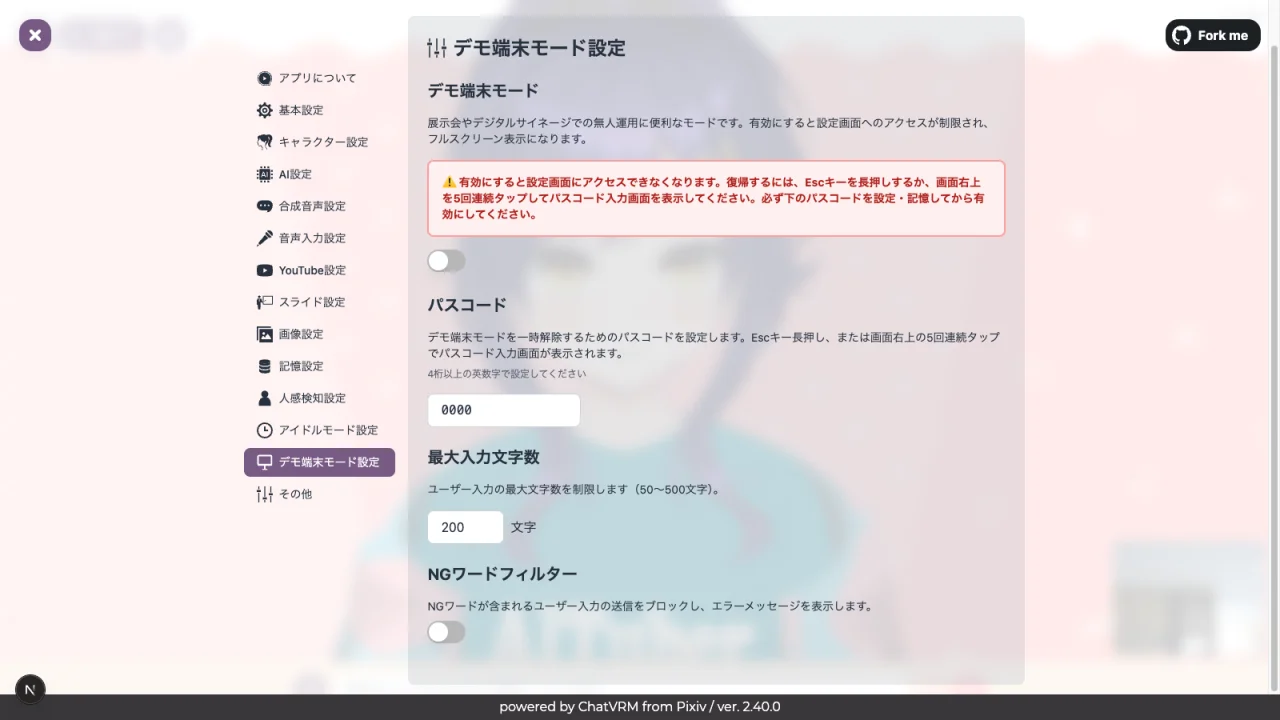
Kiosk mode is a feature designed for environments where an unspecified number of people will operate the system, such as digital signage and demo terminals. It provides features such as inappropriate input filtering, input restrictions, and passcode protection for settings.
Kiosk Mode
Toggle the kiosk mode on or off.
Warning
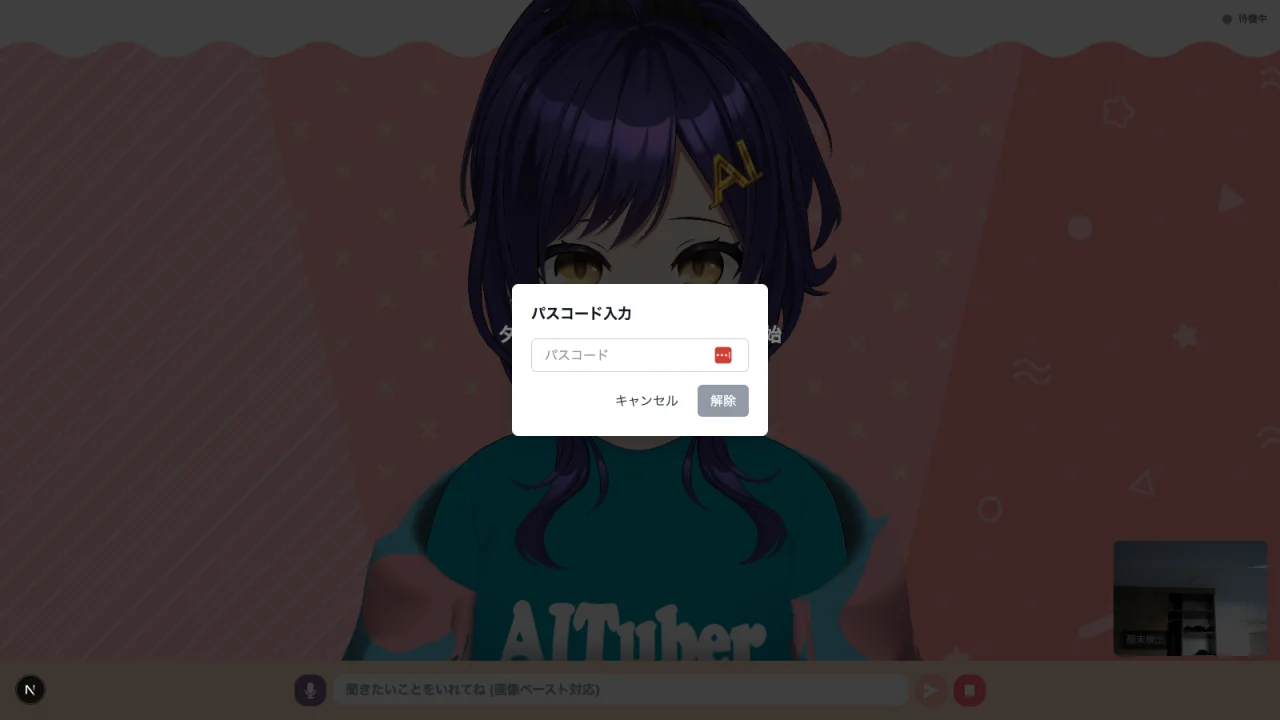
Once enabled, you will lose access to the settings screen. To recover, long-press the Esc key or tap the upper-right corner of the screen 5 times to display the passcode input screen. Make sure to set and remember the passcode below before enabling this mode.
Environment Variables:
# Enable/disable kiosk mode (true/false)
NEXT_PUBLIC_KIOSK_MODE_ENABLED="false"
Passcode
Set a passcode to restrict access to the settings screen. When kiosk mode is enabled, a passcode will be required when opening the settings screen.
Environment Variables:
# Passcode
NEXT_PUBLIC_KIOSK_PASSCODE=""
Note
If the passcode is empty, settings screen protection will be disabled. Be sure to set a passcode.
Input Character Limit
Limit the maximum number of characters that users can input.
Environment Variables:
# Input character limit
NEXT_PUBLIC_KIOSK_MAX_INPUT_LENGTH="200"
NG Word Filter
Block messages that contain inappropriate words.
Environment Variables:
# Enable/disable NG word filter (true/false)
NEXT_PUBLIC_KIOSK_NG_WORD_ENABLED="false"

# NG words (comma-separated)
NEXT_PUBLIC_KIOSK_NG_WORDS=""
Guidance Message
You can set a guidance message that is displayed when there is no operation for a certain period of time. This can be used to provide usage instructions to users.
Environment Variables:
# Guidance message
NEXT_PUBLIC_KIOSK_GUIDANCE_MESSAGE=""

# Guidance message display timeout (seconds)
NEXT_PUBLIC_KIOSK_GUIDANCE_TIMEOUT="60"