
Presence Detection Settings
Overview
The presence detection feature uses a camera to detect human faces, allowing the character to automatically greet and respond when visitors are detected or leave. This is designed for use in digital signage and kiosk terminals.
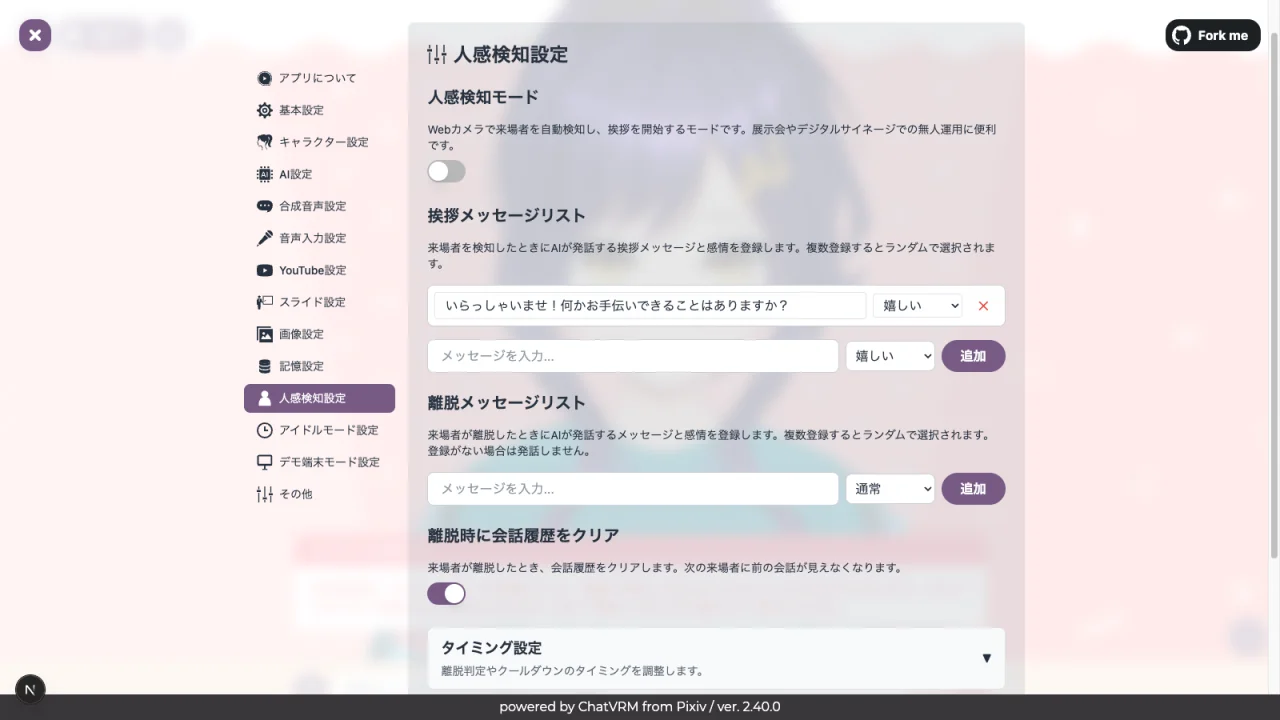
Presence Detection Mode
Toggle the presence detection feature on or off.
Environment Variables:
# Enable/disable presence detection mode (true/false)
NEXT_PUBLIC_PRESENCE_DETECTION_ENABLED="false"
Note
This feature requires camera access. Please allow camera permissions in your browser.
Camera Selection
You can select which camera device to use. If multiple cameras are connected, you can choose from the dropdown.
Environment Variables:
# Camera device ID to use (leave blank to use the default camera)
NEXT_PUBLIC_PRESENCE_SELECTED_CAMERA_ID=""
Greeting Message
You can set the greeting message that the character will speak when a visitor is detected. Multiple phrases can be registered, and each can have an emotion assigned (neutral, happy, sad, angry, relaxed, surprised).
Environment Variables:
# Greeting message
NEXT_PUBLIC_PRESENCE_GREETING_MESSAGE="Welcome! Is there anything I can help you with?"
Departure Message
You can set the message to be spoken when a visitor leaves. Leave it empty to disable the departure message.
Environment Variables:
# Departure message (empty to disable)
NEXT_PUBLIC_PRESENCE_DEPARTURE_MESSAGE=""
Clear Chat History on Departure
You can set whether to automatically clear the chat history when a visitor leaves.
Environment Variables:
# Clear chat history on departure (true/false)
NEXT_PUBLIC_PRESENCE_CLEAR_CHAT_ON_DEPARTURE="true"
Detection Parameters
Departure Timeout
Set the time (in seconds) after a face is no longer detected before it is determined that the visitor has left.
Environment Variables:
# Departure timeout (seconds)
NEXT_PUBLIC_PRESENCE_DEPARTURE_TIMEOUT="3"
Cooldown Time
Set the waiting time (in seconds) after a departure determination before detection resumes.
Environment Variables:
# Cooldown time (seconds)
NEXT_PUBLIC_PRESENCE_COOLDOWN_TIME="5"
Detection Sensitivity
Set the sensitivity of face detection. You can choose from the following three levels:
- low: Low sensitivity (500ms interval)
- medium: Medium sensitivity (300ms interval) (default)
- high: High sensitivity (150ms interval)
Environment Variables:
# Detection sensitivity (low/medium/high)
NEXT_PUBLIC_PRESENCE_DETECTION_SENSITIVITY="medium"
Detection Confirmation Time
Set the time (in seconds) after a face is detected before it is confirmed as a visitor. This is used to prevent false detections.
Environment Variables:
# Detection confirmation time (seconds)
NEXT_PUBLIC_PRESENCE_DETECTION_THRESHOLD="0"
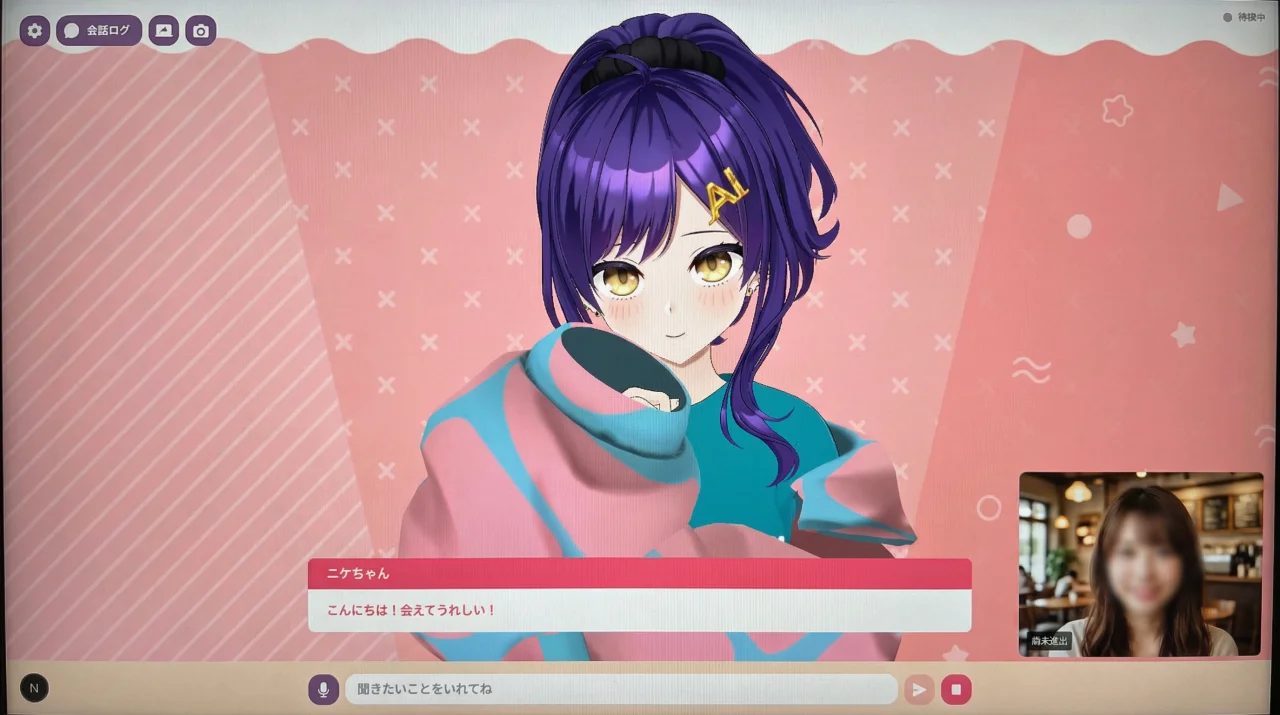
Debug Mode
When debug mode is enabled, camera footage and detailed detection status information are displayed on screen.
Environment Variables:
# Debug mode (true/false)
NEXT_PUBLIC_PRESENCE_DEBUG_MODE="false"